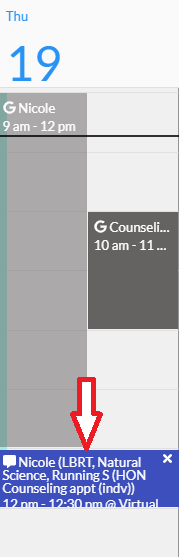
An appointment with your academic counselor should have already been created. Find the date/time of the assigned appointment and click on the actual appointment.
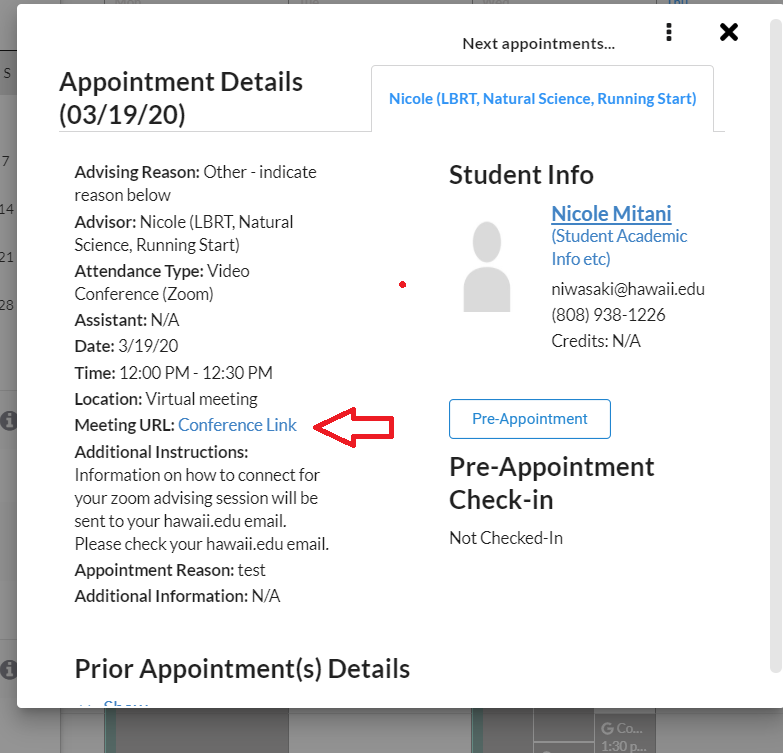
A pop-up window will appear. Find the “Meeting URL” and click on “Conference Link”.
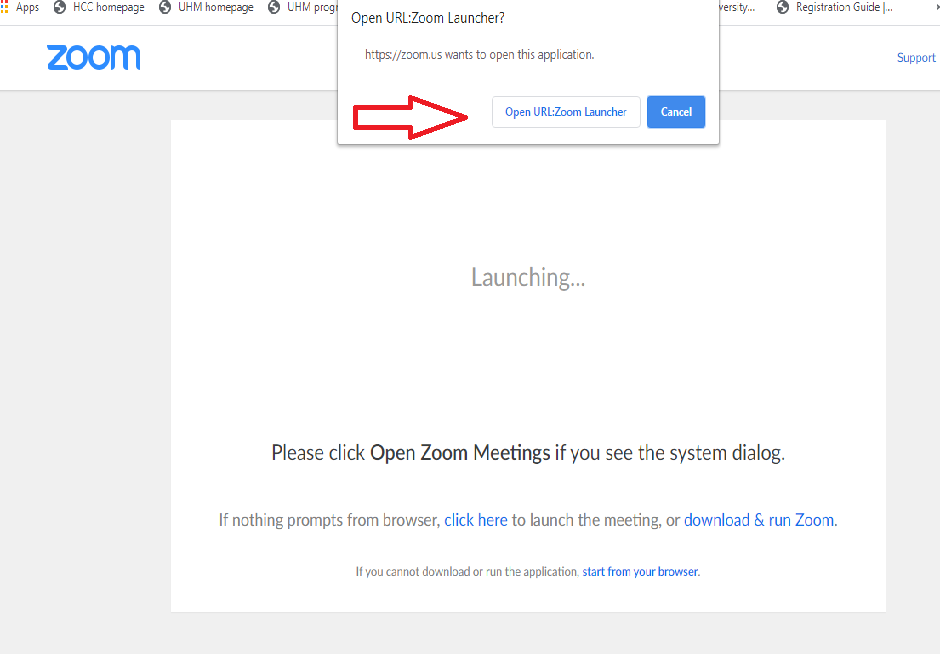
Another window will appear. Click on “Open URL:Zoom Launcher”.
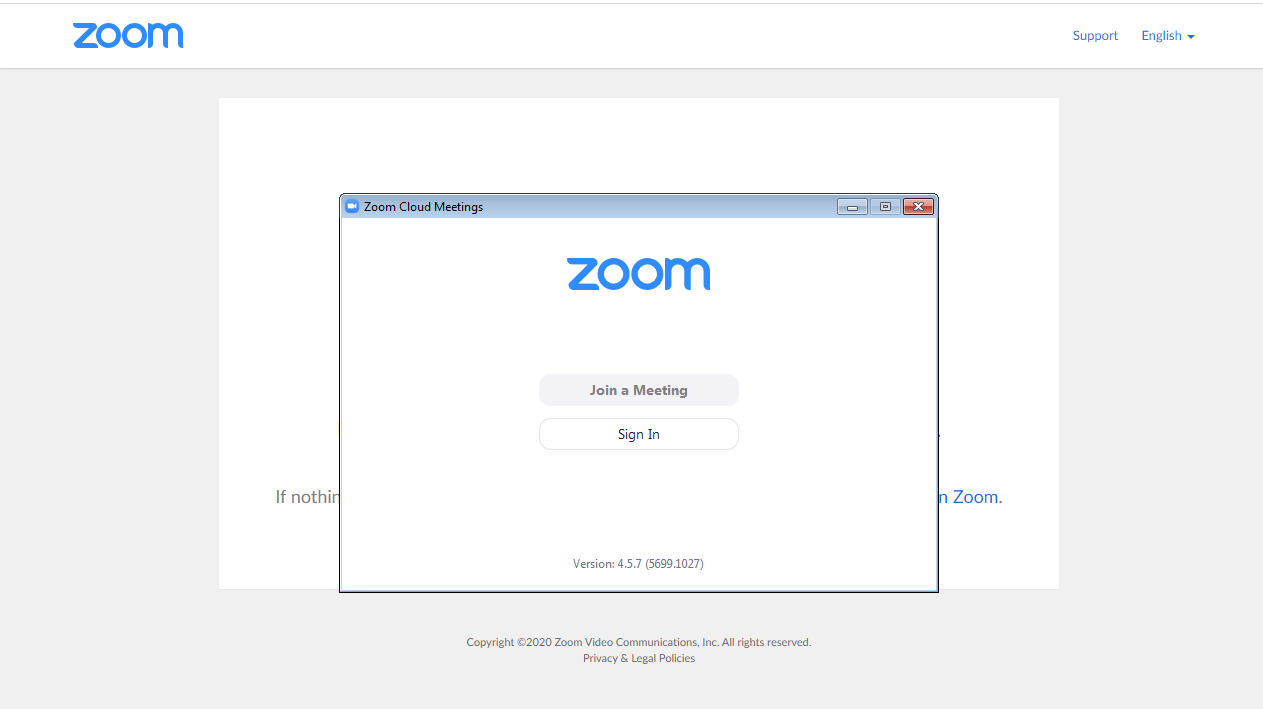
Click on “Join a Meeting”. NOTE: You may have to wait until the host (your academic counselor) is on Zoom to join.
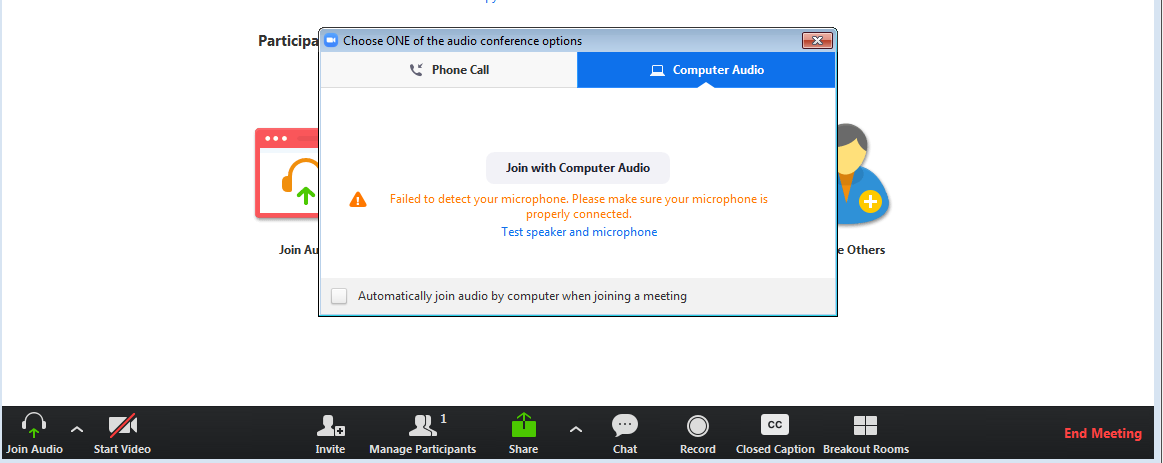
A window will appear that gives you the option to join by phone call or join with computer audio. Click on “Join with Computer Audio”.
You can also test your speaker and microphone for the sound capabilities on your computer by clicking on “Test speaker and microphone”. Follow the prompts to test.
When your appointment session is finished, go to the bottom right corner and click on “End Meeting” (in red).